
Path of Idle Runewords: Sockets, Skills & Gear Checklist
An answer-first guide to unlocking sockets, reading Runeword-granted skills, matching scaling stats and weapons, protecting useful gear, and fixing the most common rune mistakes.
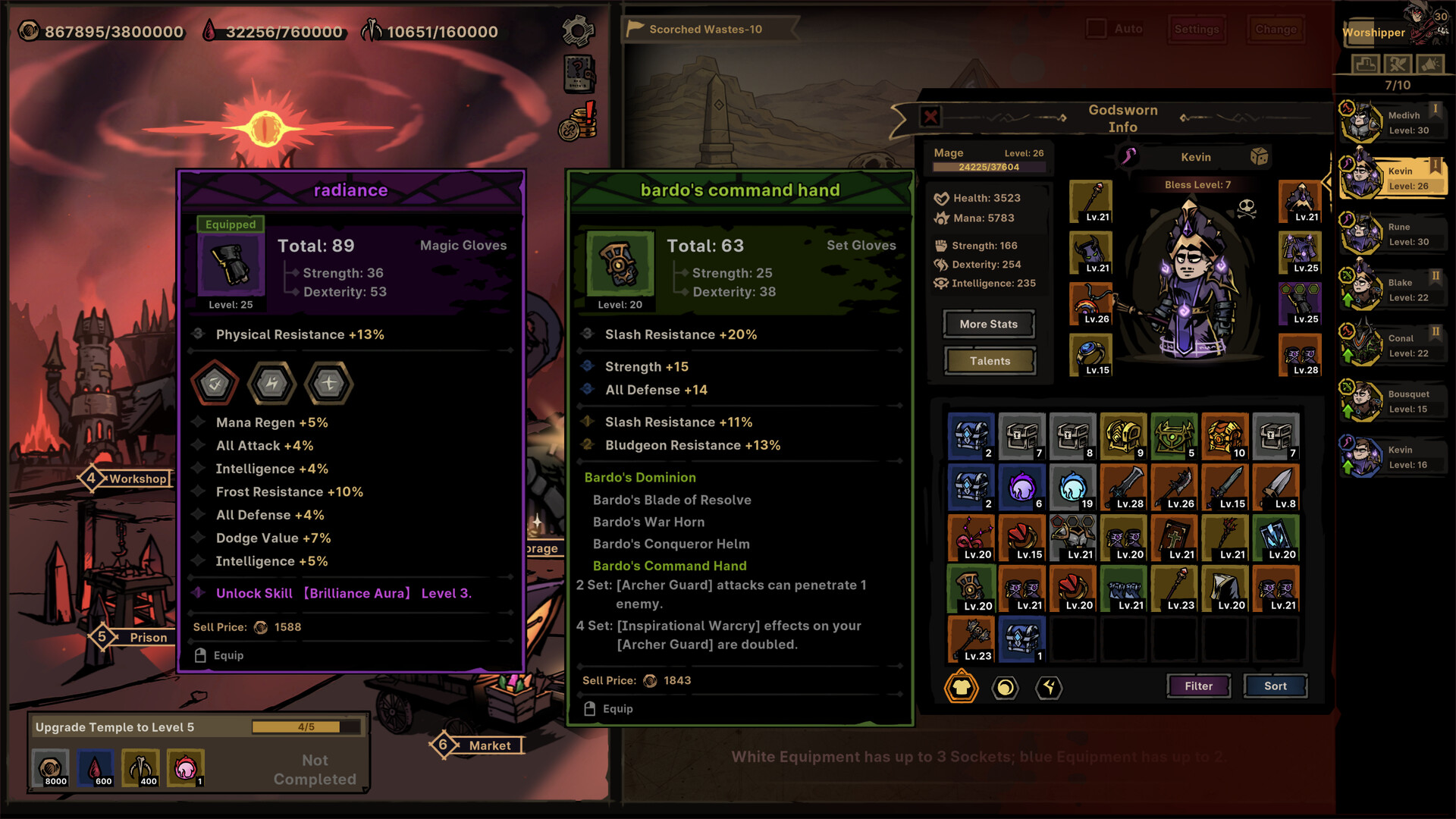
Runes and sockets are only part of the item decision; compare them with affixes, granted skills and set progress.
Credit: Official Path of Idle Steam store screenshot ↗
Version note: Do not infer a current recipe or best-in-slot choice from this store screenshot.
Quick Answer
- ✓Unlock Embedding through the Workshop renovation before trying to socket a rune.
- ✓A Runeword can grant a skill in the slots above Talents; match its weapon and scaling stats before investing.
- ✓Protect socket-rich, set, Legendary, Mythic, and skill-granting items until you have tested the full interaction.
Rune Bag Safety in Patch 1.0.9
When you hold more than 100 Rune Bags, version 1.0.9 allows bulk opening. The same update fixes an issue where Runes could be lost when bag slots were insufficient. Update before reproducing that symptom, confirm free capacity, and test a smaller batch before processing a large inventory. The official note does not publish bag contents, draw odds, or Runeword recipes, so this guide does not infer them.
The 60-Second Runeword Checklist
1. Unlock Workshop Embedding before attempting to insert anything. 2. Confirm the item actually has open sockets and is usable by the intended class. 3. Read the Runeword or granted skill and identify its required weapon, damage type, and useful attributes. 4. Check which set bonus or existing skill will be displaced. 5. Test the un-forged setup on a repeatable stage. 6. Forge, refine, or tighten filters only after the setup improves survival or clear consistency. This order prevents the two costliest mistakes: selling an item because its sockets appear unresponsive, and investing in a granted skill that the character's weapon or attributes cannot support.
Why the UI Can Make a Runeword Look Useless
Players have specifically complained that the creation screen does not clearly expose which attributes a granted attack scales with. Do not assume the largest number on the item is relevant. Inspect the granted skill tooltip after equipping, then match its required weapon and damage family to the character's attributes and supporting affixes. If that information remains unclear, compare the setup against the same enemy before spending forging materials. This page does not publish guessed recipe tables because an incorrect recipe or scaling claim is more damaging than a short, reproducible test.
Source: Steam discussion about Runeword scaling visibility ↗
Keep or Sell: A Fast Gear Triage Rule
KEEP FOR REVIEW: Mythic items, unfamiliar Legendary effects, set pieces near a breakpoint, high-socket items, and anything granting a skill your roster cannot currently produce. TEST NOW: items that match the active character's weapon, damage family, useful attributes, and an immediate survival or damage bottleneck. SELL OR FILTER LATER: confirmed duplicates and low-level items whose effect, set, sockets, and skill source add nothing to any active or planned line. The Warehouse search and filter complaints reported by players make a temporary review group especially valuable. Preserve options first; automate deletion only after the interaction is understood.
What the Workshop Actually Does
The Workshop is the town’s equipment improvement center. It can forge gear to improve core values and its renovation tree unlocks or improves related equipment functions such as sockets and affix handling. Upgrade it when equipment quality is the reason your active line cannot progress; do not pour every material into it while recruitment or Baptism is the real limit.
Compare the Whole Item, Not Just Rarity
Equipment can carry base attributes, ordinary affixes, rare or legendary effects, sockets, and set bonuses. A higher-rarity item is not automatically better for a particular skill. Check weapon requirements, damage type, useful attributes, and whether removing a set piece disables a bonus. Forge the item only after it wins that comparison, because early materials are more valuable than a small upgrade on temporary gear.
Treat Rune Advice as Version-Specific
Runes and rune affixes are real systems, but old numeric lists are risky. Demo 1.0.1.0 scaled percentage rune affixes down; full release 1.0.3 fixed Rare and Legendary Rune Pouches not being craftable; other launch patches continued changing equipment and Mythic behavior. Read the current in-game tooltip and official notes before consuming scarce materials. This guide deliberately does not publish unverified recipe names or invented socket orders.
Use Filters Without Deleting Future Options
Inventory automation saves time only after you understand what the filter keeps. Preserve unfamiliar Legendary, Mythic, set, and build-enabling pieces until you have checked their effect. Version 1.0.7 added Warehouse batch take-out and says a full Vault can swap out lower-level equipment. Leave room before long idle sessions and review new drops before tightening auto rules.
A Safe Upgrade Decision
Before forging, write down what the active line needs: survival, reliable damage, a skill requirement, or a set breakpoint. Compare the candidate and equipped item against that need, including the effect of any removed set bonus. Test the unmodified candidate first when possible. If the stage outcome does not improve, forging it is unlikely to solve the real limit. Reserve scarce materials for items that are both usable now and difficult to replace. This decision process remains useful even when individual affix values change in a later patch.
Storage Rules for New Builds
Create a temporary review group for unfamiliar set pieces, rare effects, and items that support a damage type or class you are not currently using. Do not judge those pieces only by the level of your strongest team. A second combat line may value a different requirement, socket, or defensive effect. Review the group after recruiting or changing skills, then remove confirmed duplicates. Conservative storage costs some space but avoids the much larger cost of deleting a build-enabling item before its interaction is understood.
How to Socket a Rune: Unlock Embedding First
If an item shows two or three sockets but clicking a rune does nothing, the missing step is usually the Workshop's Embedding renovation. The developer confirmed in Steam Discussions that you must unlock or upgrade the Embedding function in the Workshop before socketing works. First open the Workshop renovation list, find Embedding and satisfy its prerequisites, then return to the equipment interface and choose an eligible item and rune. Do not sell the item merely because the sockets are temporarily unusable; the slots are already present, while the town function is what remains locked.
Runewords and Granted Skill Slots
Runewords are more than a flat-stat checklist: community reports confirm that a Runeword can grant a skill that appears in one of the slots above a character's Talents. That means a lower-level item or rune setup can be build-defining if it supplies the right skill. Evaluate the granted skill, its class or weapon requirements, the attributes that support it, and the set pieces displaced by the change. Because official updates have fixed duplicate Words of Runes and changed rune-affix scaling, verify the exact current wording in your installed build rather than copying an old recipe table.
Use the Codex and Affix Seals Efficiently
Affix Seals let you block unwanted affixes through the Codex. Version 1.0.6.2 streamlined the system: set seals on the Rare Codex and sync them to the matching higher-quality Codex entries. Higher-quality Codexes can still have separate seals, but their Awareness no longer progresses independently; Awareness stays synchronized with the corresponding Rare entry. Higher-quality drops add more Awareness to that Rare entry. Start by sealing outcomes that are genuinely useless for the intended build rather than every merely imperfect roll, then tighten the rules after you have enough alternatives.
Market, Vault, and Filter Workflow
Use filters to reduce review work, not to replace judgment. Version 1.0.5 added Market filters for socket count and Auto-Buy and made equipment comparisons show affix changes. Version 1.0.7 expanded Market automation, added Warehouse batch take-out, and made a full Vault replace lower-level equipment. Version 1.0.8 fixed left-click comparison switching in the Vault. A safe loop is: reserve free space, protect Mythic, Legendary, set, socket-rich, and unfamiliar skill-granting items, run a short idle session, compare the protected group, then narrow the filter one category at a time.
Forging, Refining, Corrupting, and Replacement Cost
Treat each improvement system as a separate decision. Forging raises an item you already believe is worth keeping; Refining can move eligible Legendary equipment toward its Mythic counterpart; Corrupting has provided only positive equipment outcomes since version 1.0.4. Before spending, check whether the item supplies a required weapon type, skill, set breakpoint, socket layout, or rare effect. Version 1.0.3 reduced high-level Forging costs by about 25%, but cheaper does not mean free: upgrading a temporary item still delays the piece that actually defines the build.
Tools That Help With Gear Comparison
A larger monitor makes it easier to compare multiple equipment tooltips side by side. A mechanical keyboard with macro keys can speed up repeated inventory actions. A good mouse with precise scrolling helps navigate dense equipment lists. These are general productivity recommendations for any inventory-heavy game. If you purchase through the links, this guide may earn a small commission at no extra cost.
Continue with: large monitors for gamingmechanical keyboards
Related Guides
Evidence Sources
- Official Steam store ↗
- Official update feed ↗
- Developer answer: unlock Workshop Embedding to socket items ↗
- SteamDB app history and metadata ↗
- Steam discussion: Runeword skill scaling is difficult to inspect ↗
- Steam review discussion: Runeword and inventory pain points ↗
Revision note: checked against the sources above on 2026-08-26. Recheck in-game tooltips after every balance update.